Are you worried about choosing the right storage app for managing your data? We have got you covered! We need a secure and reliable storage app for managing data on Android mobiles. There are many storage apps in the market that provide premium features and enhanced data security along with smooth synchronization and collaboration. You can also share your photos, videos, and other documents online using these platforms.
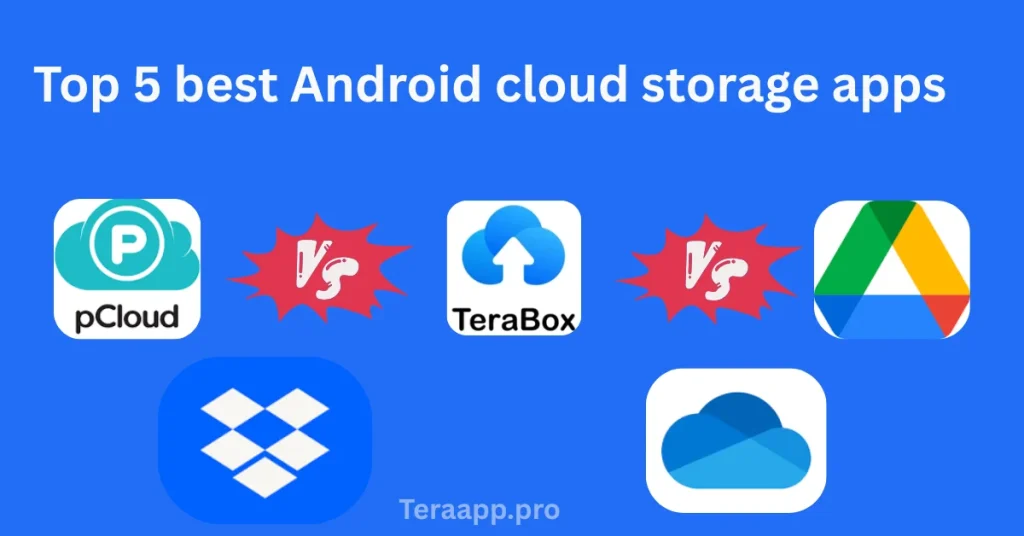
In this guide, we will review the top five Android storage apps. From the storage space and pricing to the premium features and overall performance of different apps, we will cover everything. Choose the storage space that matches your needs perfectly!
Google Drive
Google Drive is the default storage space of Android phones and other devices. It has strong integration with all Android operating systems. You can save not only photos, videos, and documents, but also the whole Android device is automatically backed up once you sync it with your Google Drive account. It offers the best integration with all other Google services like Docs, Sheets, and Slides. you can check detailed comparison of Google drive with Terabox.
Features
Google Drive provides 15GB of free storage space. Gmail and Google Photos share this 15GB free space. The best feature of Google Drive is its smooth collaboration with Google Docs, Google Slides, and Google Sheets. File transfer and sharing among different devices and accounts is also super easy and can be adjusted with permission settings. Google Drive also offers this amazing feature of ‘Search’, which is AI-based, helping you to find your content quickly.
Pricing
- Individual: 15 GB free storage
- Google One Basic: 100 GB Storage for $1.99/month
- Google One Standard: 2 TB for $9.99/month
- Google One Premium: 2 TB for $9.99/month
Pros & Cons
| Pros | Cons |
| Deep integration with Google and Android services | Free storage is synced with Google, which can fill up quickly. |
| Real-time collaboration with Google tools like Docs, Sheets, and Slides |
Terabox
One single aspect that makes Terabox prominent than all others is its massive free storage space. Terabox is the best cloud storage which is a great alternative to Google Drive for users who want huge free space without subscriptions. You can upload photos, videos, and documents and also share them online.
Features
Terabox provides 1 TB of free space, which is far more than all other competitors in the market. Once you enable it, there is an automatic upload of photos, videos, and other documents. You share files in the form of clickable links and links with an expiry date, too. There is also an option of a recycle bin, which keeps the deleted files for a period.
Pricing
Free: 1 TB
Monthly Premium: 2 TB for $4.99/month
Annual Premium: 2 TB for $52.99/year
Pros & Cons
| Pros | Cons |
| Massive free storage space of 1 TB | Free users may sometimes experience glitches and low upload speed |
| Automatic file upload of files in larger sizes |
pCloud
The feature that distinguishes pCloud from other storage spaces is its payment method. There is a unique one-time payment for a whole lifetime. It is useful for users looking for a cost-efficient long-term storage space. It is popular for its enhanced security features and media playback services.
Features
It provides 10 GB of free storage space, which can be expanded through referrals. It also offers a client-side, separate vault with encrypted security features. You can directly stream the audio and video files in the application without downloading them. File versioning can be kept for 365 days in the paid plan and one month in the free plan.
Pricing
Free: 10 GB
Premium: 500 GB for a one-time payment of $199
Premium: 500 GB for $4.99/month
Pros & Cons
| Pros | Cons |
| One-time payment for lifetime access | A relatively higher upfront cost for a lifetime plan |
| High security with client-side encryption |
Dropbox
Dropbox has been the most reliable and pioneering storage space established in 2007. It is minimalistic and user-friendly, as you can work individually or in a team. File sharing and uploading are easy and fast.
Features
It offers 2 GB of free space, which can be expanded through referrals. Block-level synchronisation makes syncing efficient and fast across different devices. Security is enhanced through a two-step verification method and remote device wipe. You can set passwords for links and can also create links with expiry dates.
Pricing
Individual: 2 GB free
Plus: 2 TB for $9.99/month
Family: 2 TB for $16.99/month (6 Users)
Professional: 3 TB for $16.99/month
Pros & Cons
| Pros | Cons |
| Fast synchronization technology | A relatively smaller free storage space |
| Easy file sharing and organized management |
Microsoft OneDrive
This storage space is a good option for individuals dived in the Microsoft 365 ecosystem. It is the best Google Drive alternative for editing files like Excel, Word, and PowerPoint. The integration of Microsoft OneDrive with Windows makes it the best choice for PC users.
Features
It provides 5 GB of free space. If you subscribe to Microsoft 365, you get access to 1 TB of storage space and all Office Mobile Apps. It also offers a Personal Vault with an additional layer of security. There is also an option of a document scanner, which helps digitize PDFs quickly.
Pricing
Free: 5 GB
Basic Plan: 100 GB for $1.99/month
Personal Plan: 1 TB for $6,99/month
Family Plan: 1 TB each for 6 users for $9.99/month
Pros & Cons
| Pros | Cons |
| Integration with Microsoft 365 Apps | Smallest free storage space |
Conclusion
Choosing the appropriate storage space depends on your needs. If you want more free space in the free then terabox is good to go. If you want a storage space with good collaboration with online tools, then Google Drive will be a wiser choice. If you are looking for better security and data privacy, then you should opt for pCloud and Google Drive.
Choose the storage space according to your priorities and start enjoying online data management without stressing out your device!